PathView
A browser-based visual editor for PathSim and FastSim models.
PathView is a visual node editor for PathSim and FastSim models: drag-and-drop block diagrams, live simulation preview with interactive plots, and instant sharing. By default it runs entirely in the browser via Pyodide: nothing to install, nothing to license, nothing sent to a server.
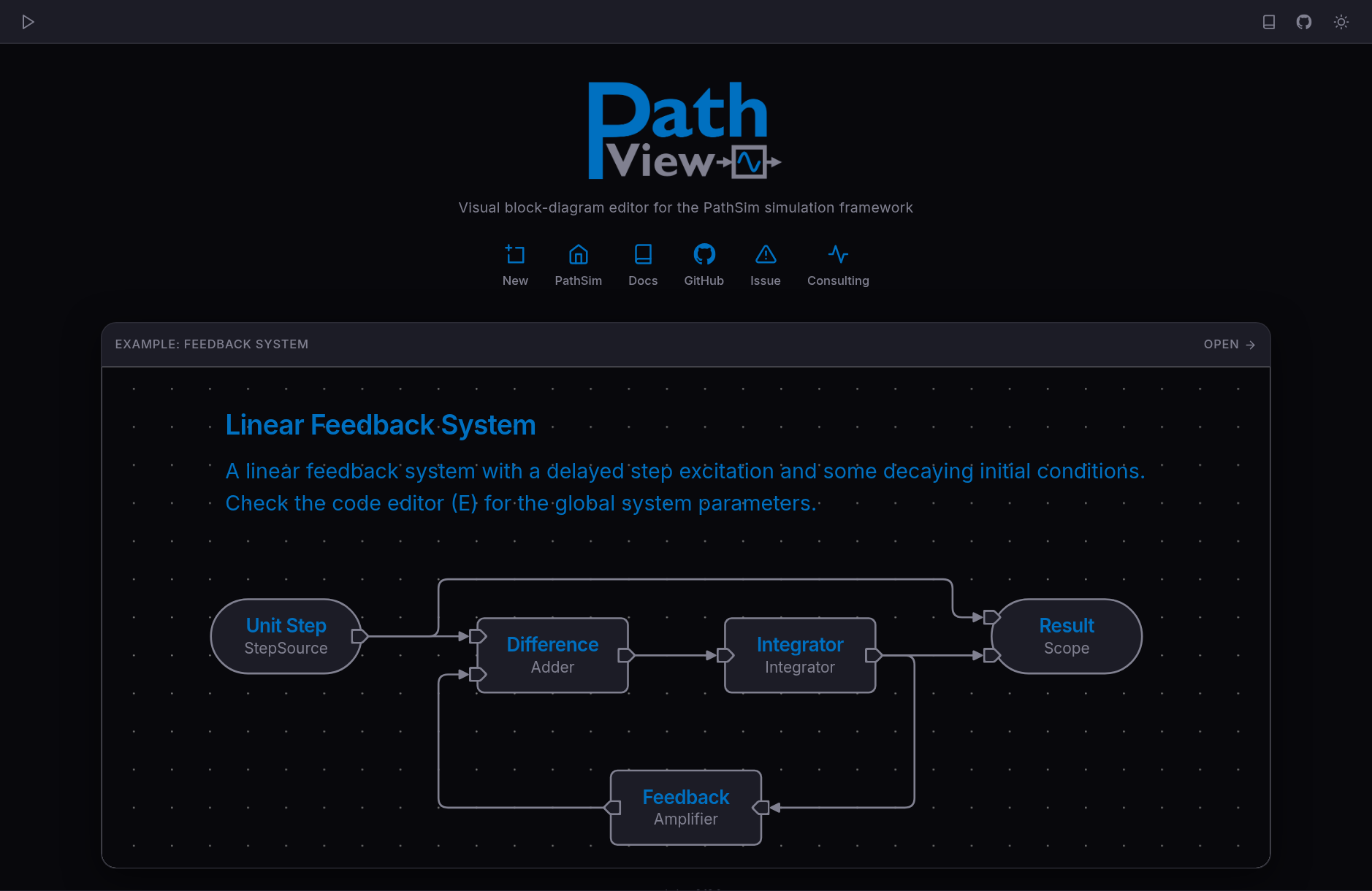
Diagrams stay real PathSim models: what you edit visually is what runs in the engine, and what you share is a model your colleague can open in Python. Models convert to standalone scripts from the command line:
pip install pathview
pathview serve                  # local server with full Python backend
pathview convert model.pvm      # .pvm diagram -> standalone model.py
The local server mode runs models against any installed Python environment, including packages with native dependencies that Pyodide cannot load. The UI is SvelteKit with SvelteFlow for the node editor, CodeMirror for code cells, and Plotly for interactive results.
The diagram is the model
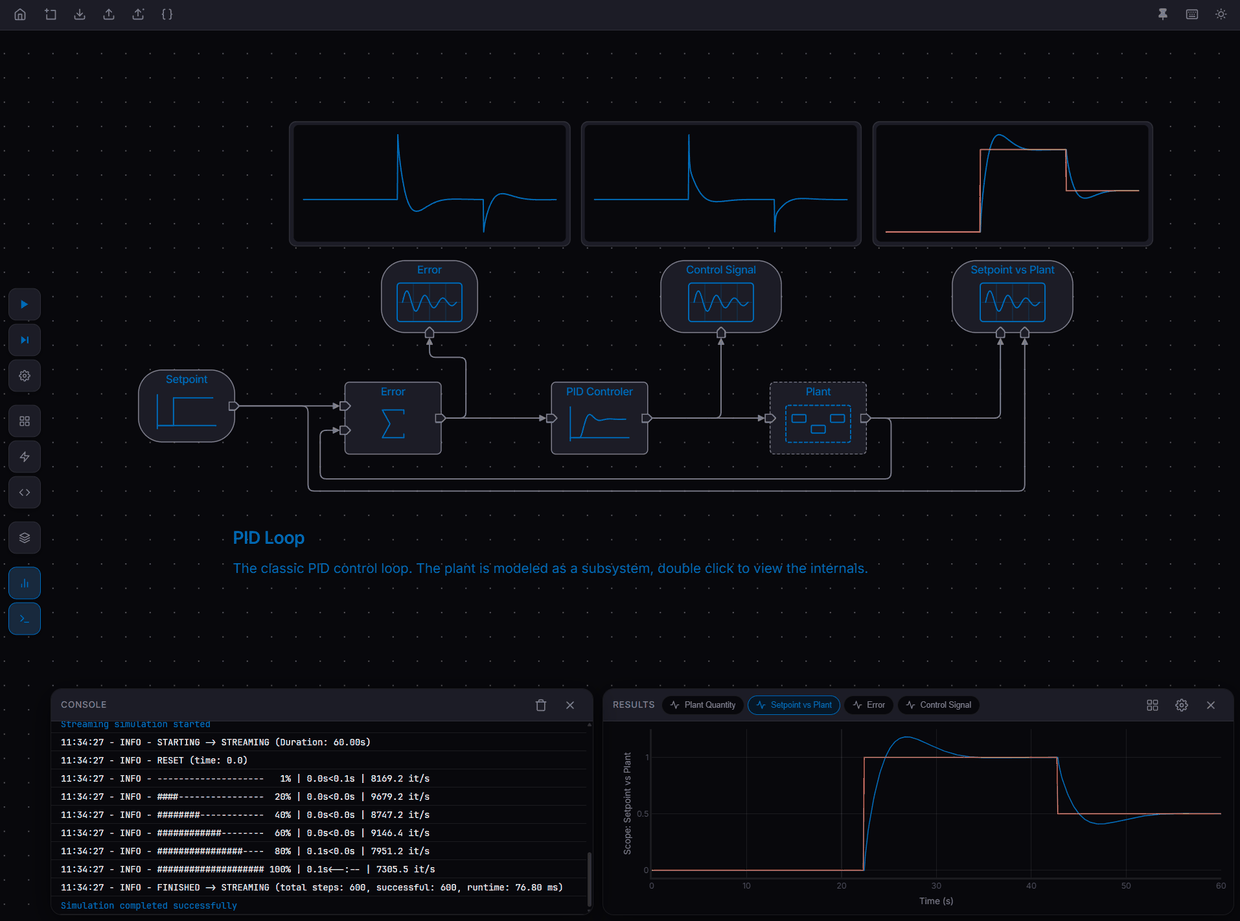
Node parameters are Python expressions, stored as strings and handed to PathSim verbatim; the engine does the type checking, not the editor. Subsystems are nested graphs, with an Interface node inside mirroring the parent's ports in the opposite direction. Wires route orthogonally around the nodes with A* pathfinding, Simulink style, and take manual waypoints where the automatic route reads badly. A spatial index keeps rerouting incremental, so dragging a node stays smooth on a large diagram.
The PID loop example shows the pieces together: the plant modeled as a subsystem, scopes previewing their traces directly on the canvas, and a text annotation next to the diagram it describes.
Streaming results
Results stream while the simulation runs. The Python loop runs autonomously in a Web Worker and pushes results at about 10 Hz, the main thread accumulates them in a queue, and every animation frame extends the existing Plotly traces rather than redrawing them, so the plot never slows down the simulation.
Blocks and toolboxes
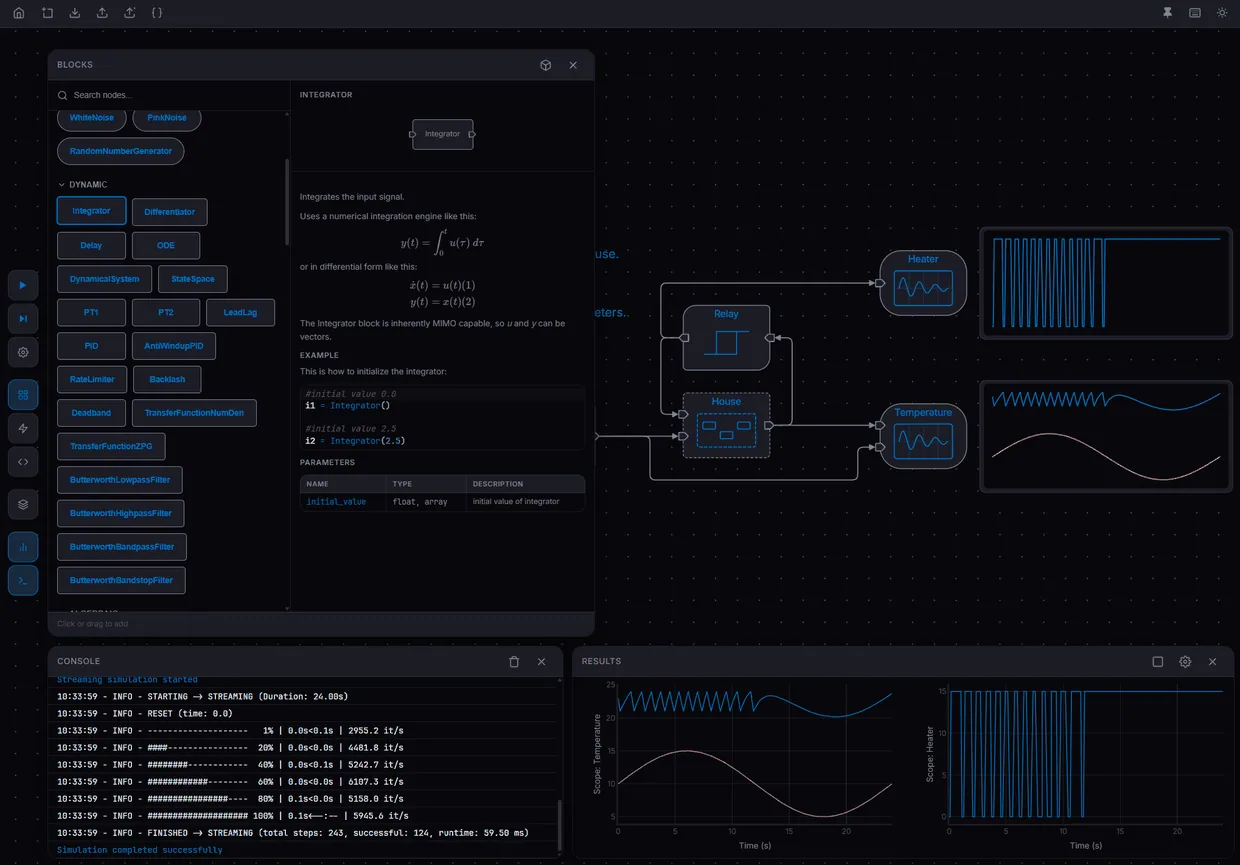
The block library documents itself in the editor: each block carries its description, its equations, and its parameter table, next to the canvas it is dragged onto. The library covers the PathSim block set, from sources and integrators through filters and controllers to noise generators.
Blocks can be added without rebuilding the app. A toolbox is just a Python module with Block subclasses in it, so PathView installs one at runtime, introspects it, and registers what it finds as new node types. A saved model records which toolboxes it depends on, so opening it on another machine offers to install the missing ones.
A model also opens straight from a link, including from a raw file in a GitHub repository, which is how the examples and the shared models work.
History
PathView began as a project at the MIT Plasma Science and Fusion Center: a way to build and inspect PathSim models visually. It is part of the published tritium fuel cycle workflow there. Starting in November 2025 I rewrote it on my own stack (SvelteKit, SvelteFlow, Pyodide), and we transferred it to the PathSim organization. Today it is hosted free for everyone at view.pathsim.org, with the pip-installable local server for models that need packages beyond what Pyodide can load.